



Crypto trading has grown fast over the last few years, and so has the number of platforms offering ways to trade digital assets, forex, stocks, and more. Many traders are no longer satisfied with simply holding positions and hoping prices go up. Instead, they look for platforms that offer solid trading tools, educational resources, and clear regulatory oversight. For those trading in the UK, the challenges often lies in navigating strict financial rules, fast-moving markets, and choosing platforms that are properly regulated. As a result, UK traders tend to prefer platforms that are easy to use, capable of supporting active trading, and transparent about costs sofees are clear upfront.
Platforms like Capital.com have become well known in the UK derivatives trading space. This Capital.com review for UK traders looks closely at whether the platform truly delivers on these promises and how well it fits real trading needs.
Risk warning: 65% of retail investor accounts lose money when trading CFDs with Capital.com. You should consider whether you understand how CFDs work and whether you can afford to take the high risk of losing your money.
What is Capital.com?
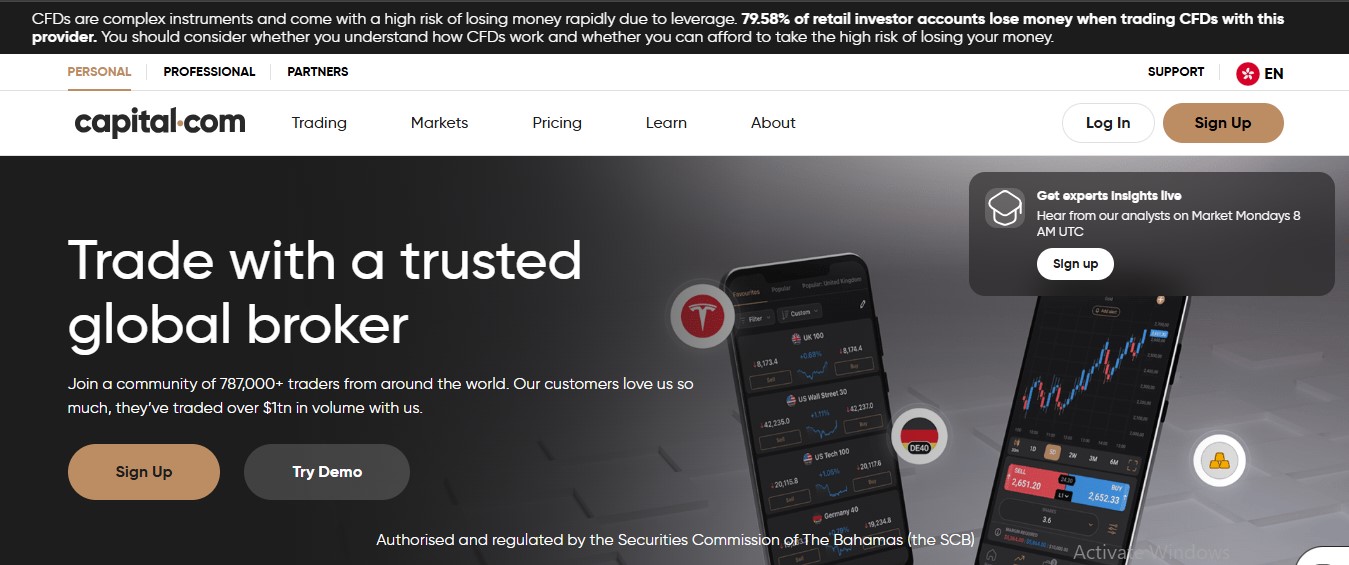
Capital.com is an online trading platform where users can trade financial markets using CFDs (Contracts for Difference). In other words, you do not own the asset itself but trade based on its price movements. On the platform, you can trade popular markets like cryptocurrencies, forex, stocks, indices, and commodities all in one place. It operates as a licensed broker in the UK, offering learning tools, market insights, and risk management features to help users understand what they are doing before placing trades.
How Does Capital.com Work in the UK?
In the UK, Capital.com works as a fully regulated online trading platform, so funds and trades are protected under strict financial rules. When you sign up, you can create an account in just a few minutes, verify your identity, and start trading various assets. The platform has both a mobile app and a web platform, so users can open positions, monitor charts, and manage their funds without breaking a sweat. All funds are kept in segregated bank accounts, separate from the company’s operational funds.
Capital.com is regulated by the Financial Conduct Authority (FCA) in the UK, ensuring it operates by the book to protect traders, including measures like negative balance protection.
What Trading Platforms are Available on Capital.com?
Capital.com provides several ways to trade, depending on how simple or advanced you want your setup to be. All options outlined below connect to the same Capital.com account and use the same market prices.
- Capital.com Web Platform
This is the browser-based platform you use on a laptop or desktop. Users do not need to make any downloads. Rather, they log in and start trading right away. The design is easy to follow, which is helpful to individuals new to CFD trading. You can search for markets, set stop loss and take profit levels, and view charts from one screen. Risk details and margin requirements are shown before you place a trade, so you know what to expect. - Capital.com Mobile App (iOS and Android)
This is the mobile version of the platform, created for traders who want full access from their phone. You can open and close trades, track prices, and manage risk when you’re out and about. The app includes features like charts, indicators, and order tools, so you are not missing out. - MetaTrader 4 (MT4)
MT4 is a widely used third-party trading platform that integrates with Capital.com. It is often used by traders who want deeper chart analysis and automated trading tools, letting them apply custom indicators and use expert advisors. Trades placed on MT4 are executed through your Capital.com account, so your balance and positions stay updated. - TradingView Integration
Capital.com plugs you right into TradingView, a platform known for its strong charting tools. You can analyse markets using the tool and place trades without leaving the interface. This option is cut out for traders who rely on technical analysis and want clear, detailed charts while still using Capital.com for execution and account management. - Capital.com Public API (v1.0.0)
The Public API is aimed at traders who want to connect Capital.com to their own tools or trading systems. It allows users to access market data, manage orders, and monitor accounts through custom software. This option is useful if you want more control or plan to build automated trading solutions. All trades made through the API still run through your Capital.com account and follow the same trading rules.
What are the Key Features of Capital.com for UK Traders?
- Smart Charts with Advanced Tools
Through its integrated TradingView charts, Capital.com offers 100+ technical indicators, multiple chart types, and drawing tools that help you study trends and get more insight into market behaviour. - Integrated Educational Hub
The Capital.com website includes a learning section where you can watch videos, read guides, and deepen your understanding of trading and markets. In demo mode, you can test strategies and simulate live-environment trading without risking real money. - Commission-Free Trading
You also get to trade without paying commissions (although other fees apply). This is especially helpful for traders who want to make frequent trades without losing a chunk of profit to fees. - Risk Management Tools Built In
The software includes its own risk tools like stop-loss, take-profit, and guaranteed stop-loss orders (which incur a fee if activated). These are easy to set up directly on trades, helping users protect their money even when markets are volatile.
How can beginners learn to trade with Capital.com?
- Create an Account
Before you can start trading, you need to open an account on Capital.com. You’ll provide your email, create a password, and verify your identity. Verification usually involves uploading a photo ID and proof of address. There is also an eligibility check to ensure you meet the regulatory requirements to trade, which may include questions about your trading experience and financial situation. - Choose the Right Account Type
The platform offers different types of accounts, including live trading with CFDs and spread bets (UK only), and demo accounts. Beginners should start with a demo account to test the waters without risking real funds. Only use a live account when you feel confident. - Deposit Funds
To trade with real money, you need to deposit funds. Capital.com supports multiple payment methods like debit cards, bank transfers, and e-wallets. Start with an amount you can afford to risk, especially as a beginner. The platform does not charge deposit fees, which makes it easier to start small. - Learn About the Markets
Before placing trades, it’s important to understand what you are trading. Beginners should ensure they focus on one market at a time. Learn basic concepts like buy/sell orders, price charts, and leverage. With its provision of educational tools, guides, and videos, Capital.com is mostly regarded as beginner-friendly. - Explore the Trading Platform
Take time to explore the platform interface. Learn how to read charts, check market trends, and place orders. Practice navigating the menus, using risk management tools, and setting stop-loss or take-profit levels.
Capital.com Fees Explained for UK Traders
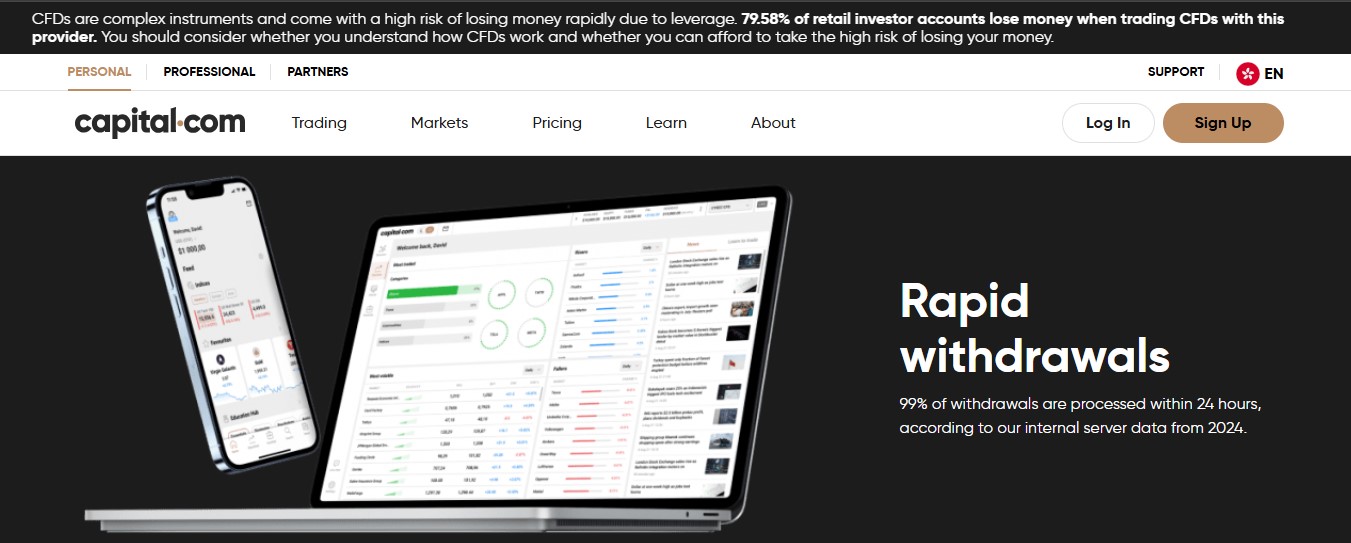
Depositing and withdrawing money on Capital.com is free. Sometimes your bank or card provider may charge a small fee, but Capital.com does not. When trading, the platform does not charge commissions. Instead, the main cost comes from the spread, which changes depending on the market. Popular, liquid markets like major forex pairs or big indices usually have smaller spreads, while less active markets usually have larger spreads.
If you keep a leveraged trade open overnight, you’ll pay an overnight funding fee. The exact amount depends on the market and whether you are buying or selling. There is also a fee payable when a guaranteed stop-loss order is activated.
How Long Does it Take to Start Trading on Capital.com?
For a beginner, it can take about 10 to 30 minutes to start trading (subject to eligibility checks). This includes signing up, confirming your email, verifying your ID and eligibility and adding funds. If your documents are clear, it’s possible to place your first trade the same day, which makes Capital.com a good choice for quick access.

How Helpful is Capital.com Customer Support in the UK?
Capital.com offers live chat, email, and help center support for users in the UK. You can get help with account issues, trading questions, and technical problems. Support hours cover most of the trading day, and responses are usually quick.
Capital.com Pros and Cons
Pros
- FCA-regulated in the UK.
- Commission-free trading.
- No inactivity and withdrawal fees.
- Negative balance protection for UK users.
- Beginner-friendly mobile app experience.
- Built-in learning and education tools.
- Wide range of CFD markets.
Cons
- No physical asset ownership.
- Overnight fees on open positions.
- No crypto selection for UK clients.
FAQs
Is Capital.com Good for Beginner Traders?
The platform is a good fit if you are just starting out. You get a clean setup that is easy to understand and clear costs that help you stay on the safe side. You can learn before risking real money and trade from your phone without stress. The Capital.com trading platform keeps things simple while still giving you room to learn the ropes.
Is Capital.com safe?
Of course, it is safe to use in the UK based on clear guidelines and compliance. It is regulated in the UK, uses SSL encryption, and has two-step login to protect users’ accounts. You also get negative balance protection, so you can’t lose more than you deposit.
Who is Capital.com best for?
With Capital.com reviewed, it is clear that the platform is best for beginners who want a simple way to start trading without feeling overwhelmed. If you’re fresh off the boat, the built-in education tools, demo account, and clear platform layout provide the needed environment and motivation. Active traders who care about keeping costs low will find the commission-free trading and no withdrawal fees very useful. Even if you are worried about safety, the FCA regulation, segregated accounts, and negative balance protection provide reassurance. In short, Capital.com fits anyone looking for a straightforward, cost-conscious, and secure trading experience with enough tools to help you build your trading skills.
Conclusion
Looking at the full picture, our honest opinion on Capital.com is that it gives you the tools and insight to get the lay of the land before making trading decisions. Understanding how the platform works, its features, and the rules helps you make better decisions and fewer slip-ups. You can test strategies in the demo account and learn at your own pace, which gives you a solid start. With enough control and guidance, the platform is practical for both beginners and active traders in the UK, helping you build skills while keeping costs and risks in check.
 usdt
usdt bnb
bnb